Accurate transcription
Whisper models, accelerated by Apple silicon, give you punctuated text that's ready to review.
Your voice, put in writing.
Plumelle transcribes your recordings, meetings and videos, recognizes who's speaking and lets you review everything as you listen. No cloud, no account: it all happens on your Mac.
macOS 14 or later · Mac with Apple silicon · On Windows? Get notified
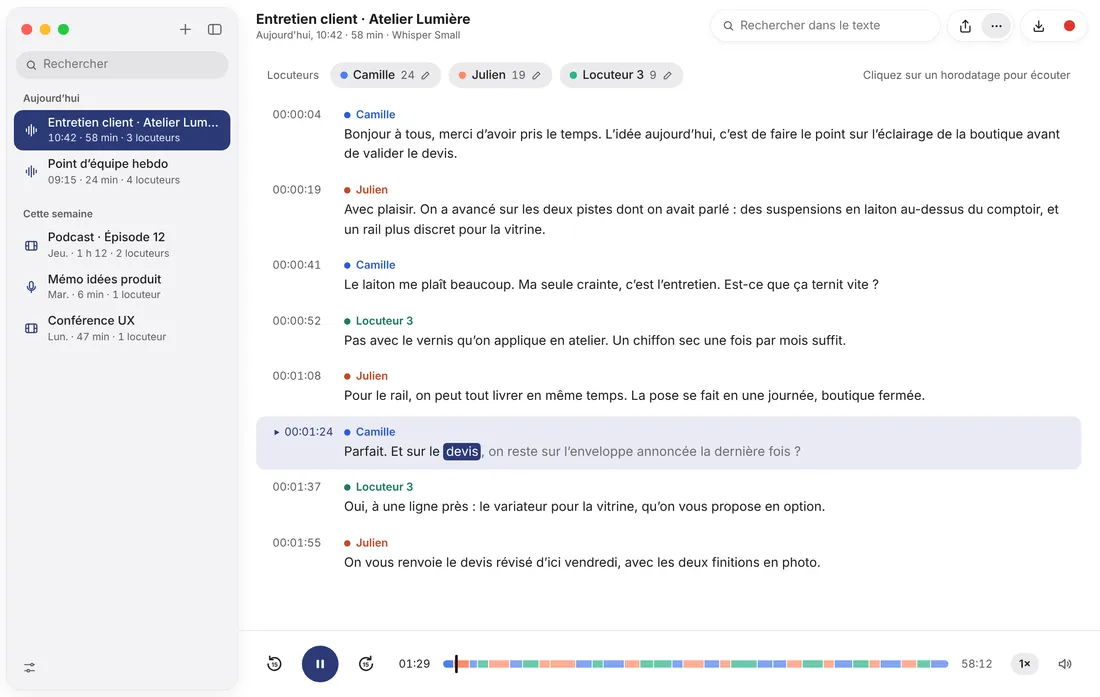
Whisper models, accelerated by Apple silicon, give you punctuated text that's ready to review.
Speakers are recognized automatically. Name each one once and the name shows up everywhere, right down to your exports.
As you listen, each spoken word lights up in the text. Click a timestamp to hear a passage again.
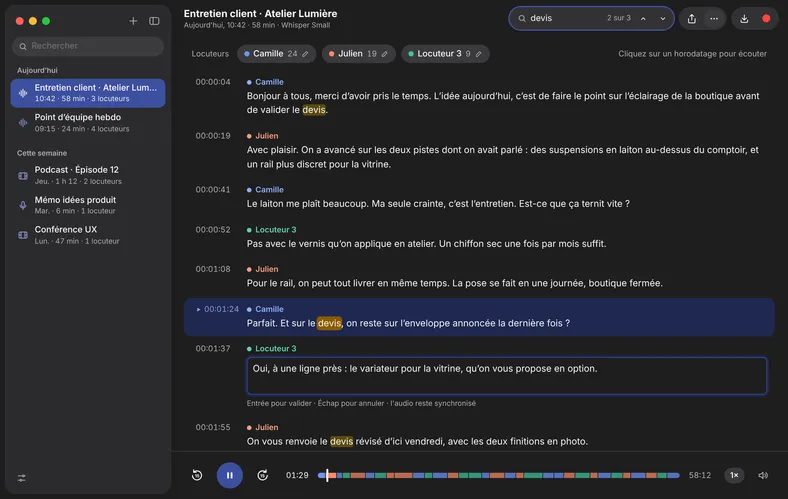
Find any word and fix the text right in Plumelle. The audio stays in sync.
Export plain text for your notes or SRT for your videos, with or without timestamps and speaker names.
Record right in the app, or drop in an audio or video file: MP3, M4A, WAV, MP4, MOV and most common formats.
Start recording with a keyboard shortcut. As soon as you stop, transcription begins, and you can keep working in the meantime.
Several files? They're queued and transcribed one after another.
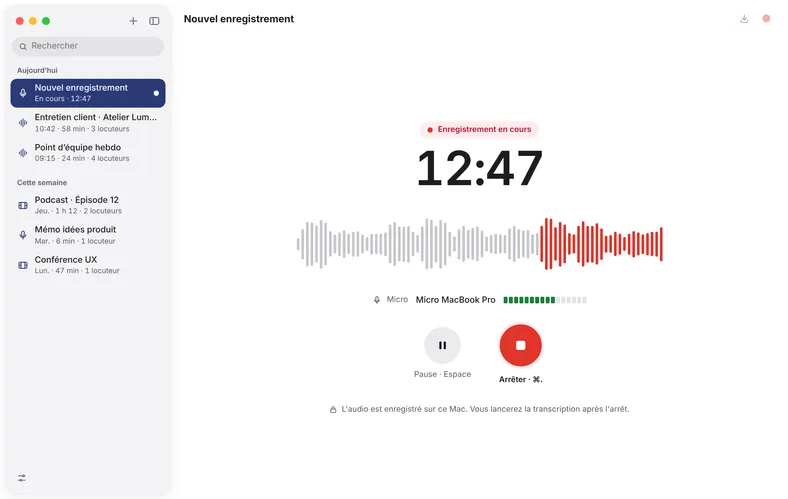
Light or dark mode, keyboard shortcuts, a complete menu bar, smooth animations: Plumelle behaves the way you expect a well-crafted Mac app to.
In English or French, to match your Mac's language.
Three models, a sensible default, and the option to switch for a single file or re-transcribe later.
For a very fast first draft that needs a closer read.
The best balance of speed and quality, for most uses.
Maximum accuracy, for difficult recordings or technical vocabulary.
Interviews, consultations, internal meetings: what you transcribe is your business. Plumelle does all the work on your machine, even offline.
The audio, the text and the speaker names are stored on your disk. Your original file is never modified.
No usage statistics, no crash reports sent behind your back. If something goes wrong, you decide whether to share the report.
To download the transcription models, and to check for updates, which you can turn off.
 Plumelle
[PRICE][TERMS: one-time purchase or subscription]
macOS 14 or later · Mac with Apple silicon (M1 and later)
No. Transcription and speaker identification happen entirely on your Mac. No audio, text or file names ever leave your Mac.
A Mac with Apple silicon (M1 or later) running macOS 14 Sonoma or later.
Yes. You need a connection only once, to download the models the first time you open the app. After that, Plumelle works offline.
A Windows version is planned. Leave your email address to hear when it comes out.
Yes: MP4, MOV, M4V, MKV and WebM are supported. Plumelle extracts the audio track, and SRT export gives you the subtitles straight away.
No. Files several hours long are processed in chunks, and work picks up where it left off if your Mac shuts down partway through.
The interface is in English and French. Transcription supports English, French and the many other languages recognized by the Whisper models.
A Windows version is planned. Leave your address and we'll write to you just once, on the day it comes out.
Know someone who spends their evenings transcribing interviews? Send them the link.